
Win Grep 1.0

Visual Grep Tool & Multi-Phrase Text Filter
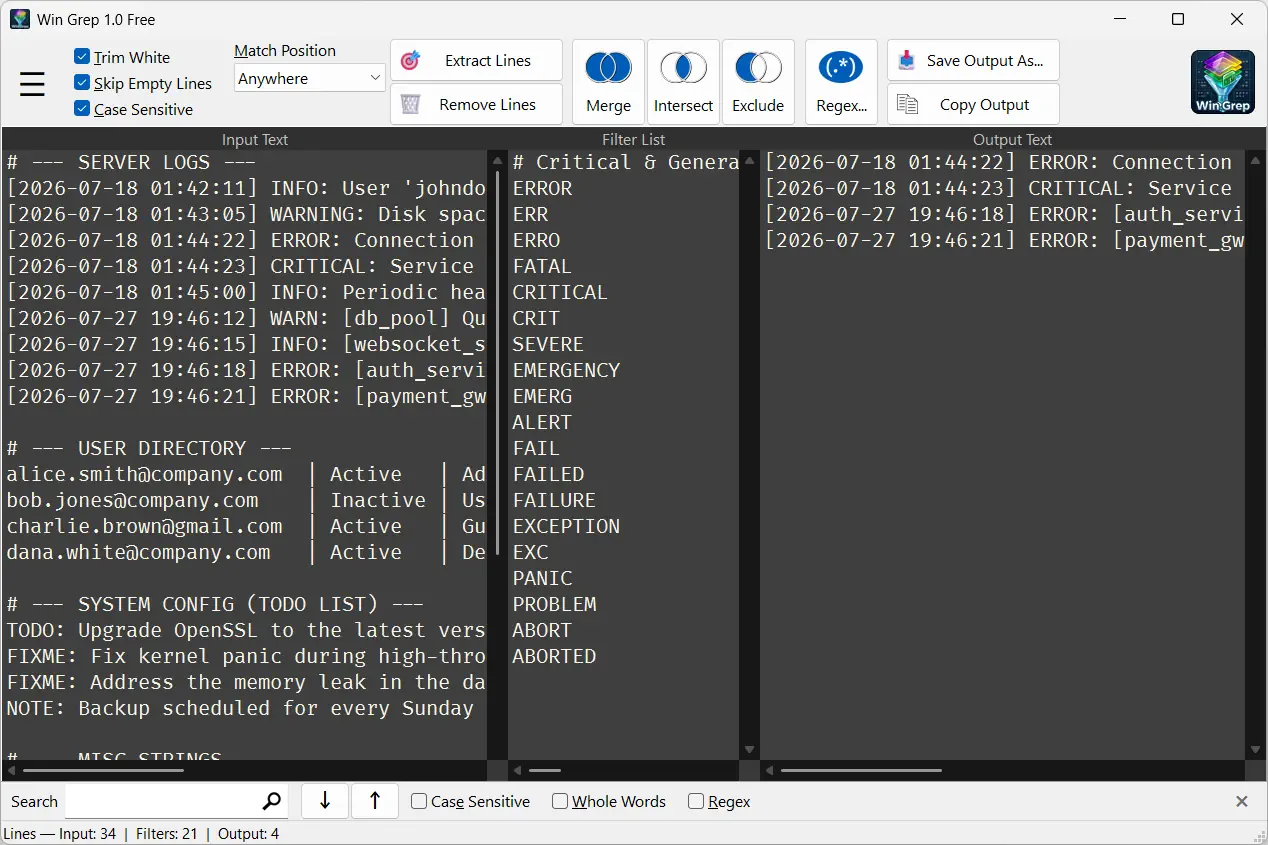
Filter logs and text files effortlessly with Win Grep — a visual tool for Windows. Benefit from multi-phrase search, instant result previews, and the convenience of a windowed UI.
Forget about the black terminal window, memorizing complex commands, and hunting for the right flags. Win Grep makes working with files a breeze — simply paste your text, enter your keywords, and instantly see the filtered result. Everything is laid out in an intuitive, three-panel view, with zero stress and no steep learning curve.
Download Win Grep for free from the Microsoft Store.


Why make life hard with the command line?
Working with text files, reports, or system logs often brings to mind a black screen, searching for the right commands online, and dealing with annoying syntax errors. If you need to quickly check what's inside a file, classic CLI tools can severely slow down your workflow.
Win Grep was built to make text analysis as simple and stress-free as possible:
- All in one place: Instead of struggling in the console, you see your input data, defined filters, and final output side-by-side on a single screen.
- Multi-phrase support: No need to build long, complex command chains. Just enter a list of words, and the program does the rest.
- Instant preview: One click gives you instantly updated results. You see exactly what you want to find – without unnecessary noise.
How it works – 3 simple steps
Filtering data takes just a few seconds and comes down to three intuitive actions:
- Load file – Open a text file or simply paste logs directly into the app window.
- Add phrases – Type your keywords or load a ready-made filter list.
- Get output – Press F6 to instantly view the filtered text and export clean data.
Key Features
Thoughtful features that simplify your daily tasks:
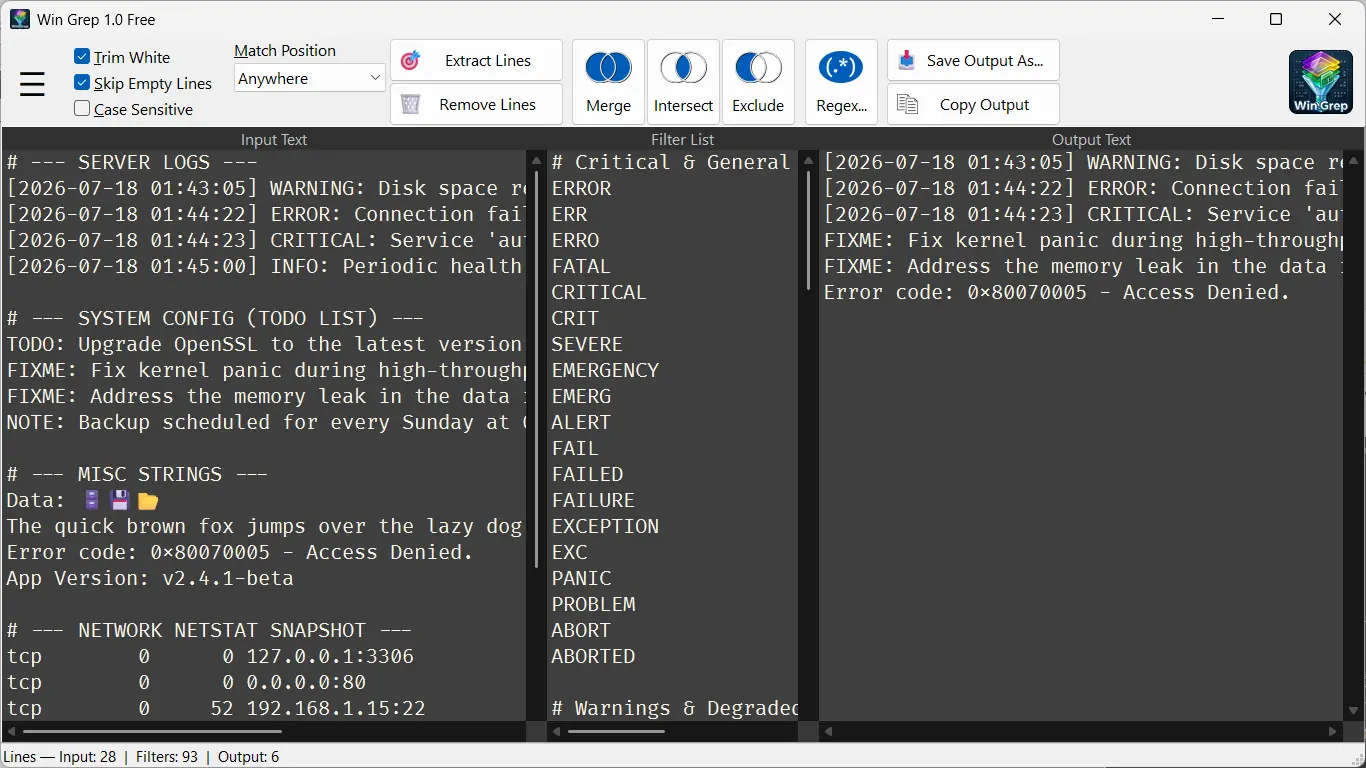
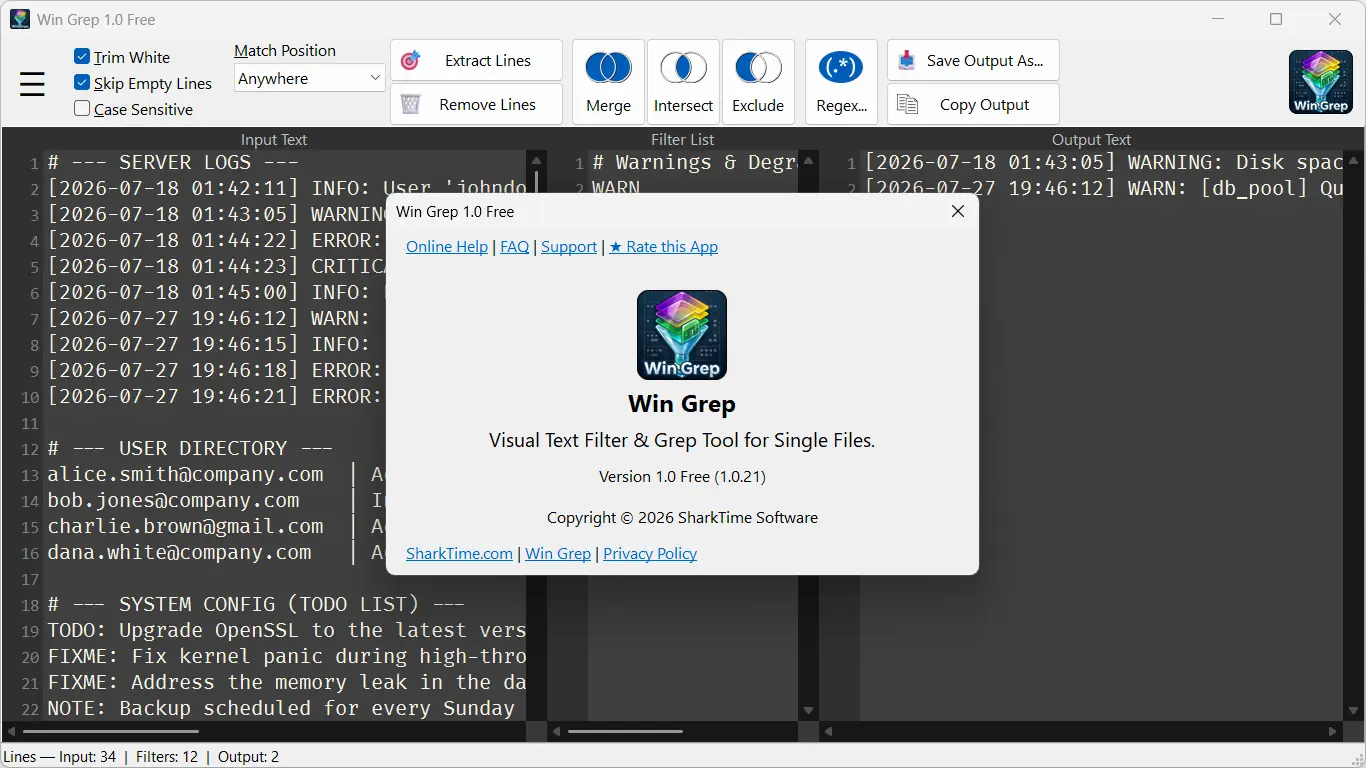
- 👁 Clear three-panel layout – Work using the INPUT ➔ FILTER ➔ OUTPUT model. Paste or open a file on the left, set your rules in the middle, and instantly receive ready, filtered text on the right.
- 📝 Multi-phrase filter list – Search for multiple words or phrases simultaneously. Instead of filtering a file step-by-step, extract all relevant information in one go.
- 🔄 Phrase set operations (Advanced feature) – Need to build a custom dictionary or compare datasets? Win Grep lets you combine, intersect, and subtract lists of phrases line by line. It's a powerful helper that traditional tools lack.
- 🎛 Full filtering control – Choose exactly how your filter behaves: whether a line should contain text, start with it, end with it, or match it exactly. You can also turn on Invert mode to instantly hide unwanted lines and strip out information noise.
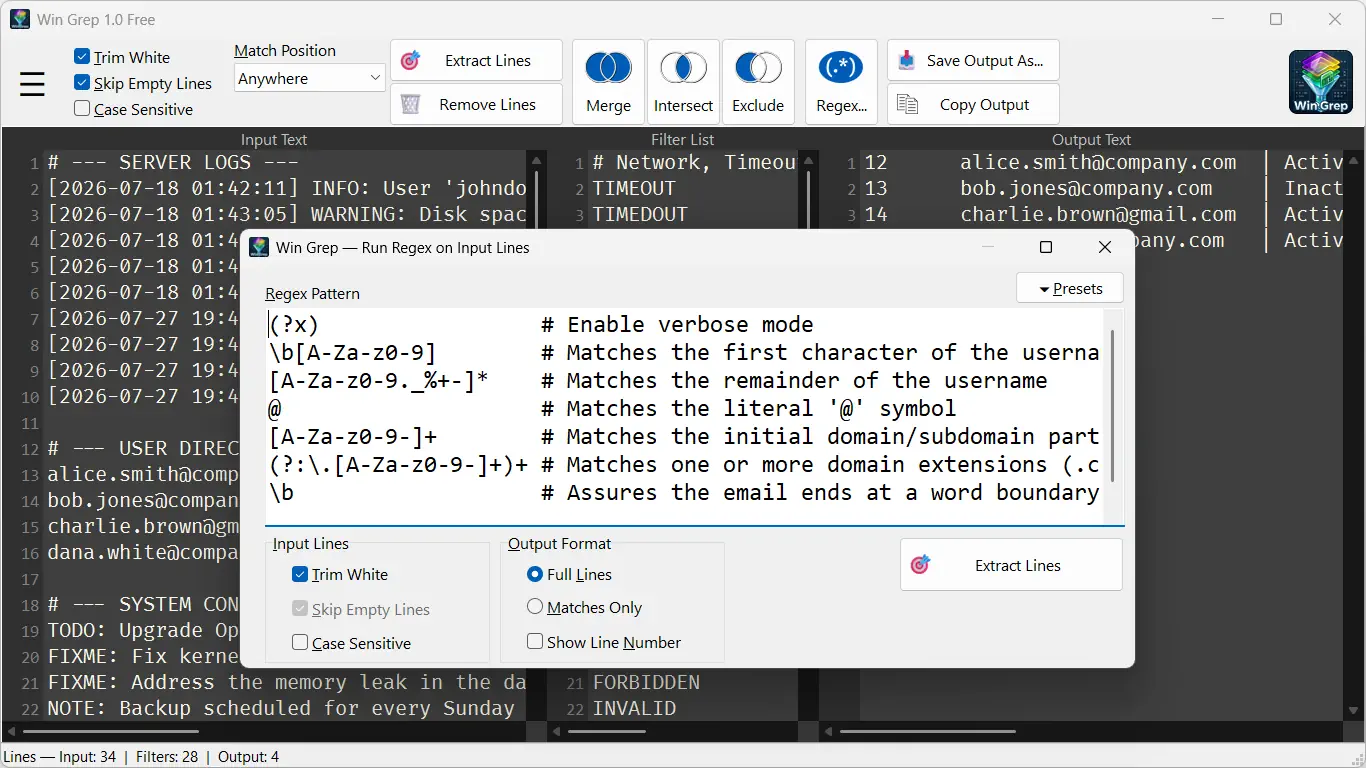
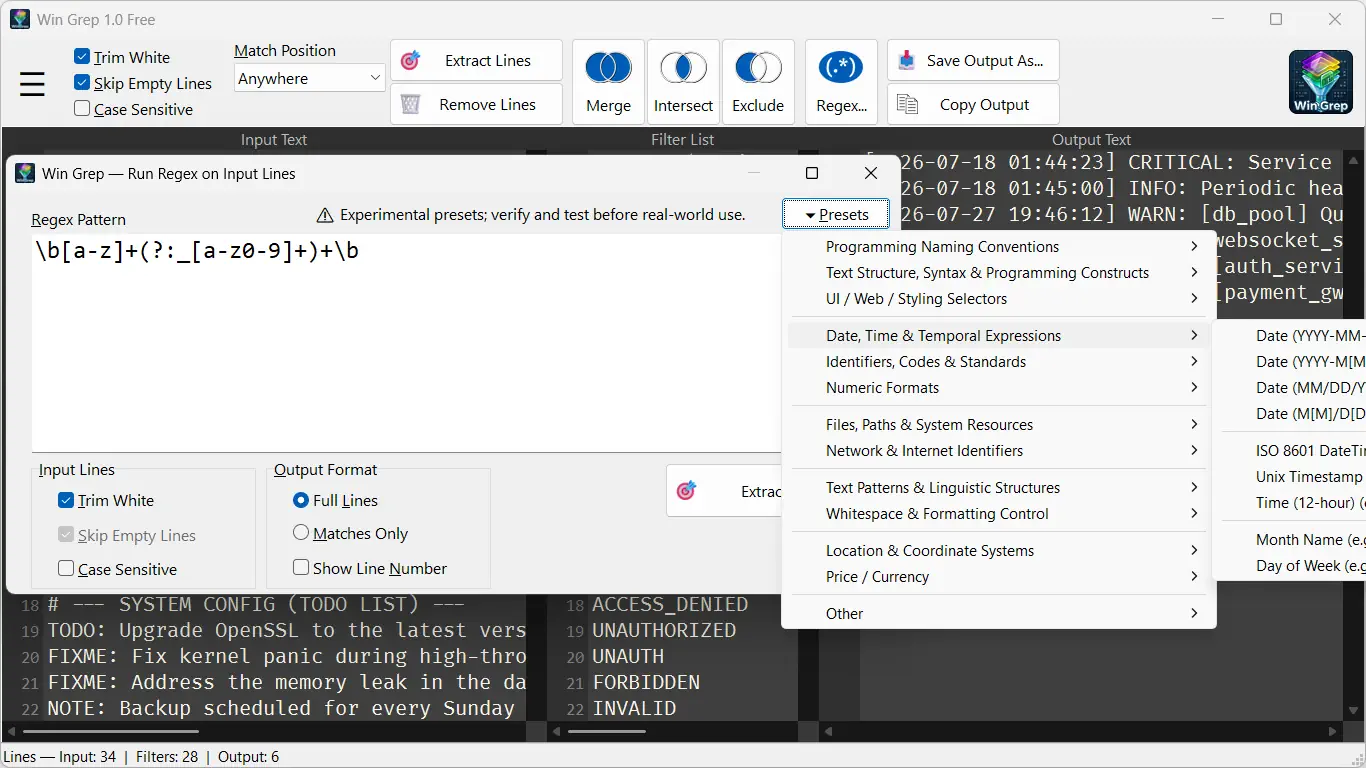
- 🧩 Regular Expressions (Regex) and Unicode support – When you need more power, use the convenient Regex editor. With Unicode and diacritics support, Win Grep handles files in any language without a hitch.
Ideal for anyone working with text
Whether you work in an office every day and need to pinpoint specific data in a huge file, or you are a professional looking for a lightweight tool for quick previews – Win Grep fits perfectly.
- For office and home users: An easy-to-use interface means you don't have to be a developer or know complex terminology to efficiently filter documents and reports.
- For IT professionals and specialists: A fast, reliable tool close at hand when you need to inspect a single log file without opening heavy environments or writing scripts.
A simple tool for a specific task
Win Grep is a lightweight and specialized utility. We focus on simplicity and efficiency, which is why we built the application with core usage scenarios in mind:
- Quick single-file analysis: The ideal solution for efficient analysis of one data file at a time.
- Convenient visual interface: Designed specifically for Windows – no command line needed.
- Filtering over editing: Purpose-built for rapid data extraction rather than deep text editing.
- Regex verification: Remember that complex regular expressions (especially production ones) should always be verified independently before final deployment.
Screenshots
Win Grep FAQ
About the program
What is Win Grep for?
Who is Win Grep designed for?
How does Win Grep differ from traditional Grep tools for Windows?
Is Win Grep a good alternative to findstr or PowerShell's Select-String?
No, if you need command-line automation, scripting capabilities, or batch processing across multiple files simultaneously.
Is Win Grep completely free?
Support
How do I get app support?
How do I report a problem/bug in an app?
I like it, how can I help?
- Use the app and share it with others.
- Rate the app and write a short review.
- Share information about the app on social media, your blog, or discussion forums.
- Ask questions and make suggestions for improvement.
Security
Is my data and are my files safe when I use Win Grep?
Why should I download the app from the Microsoft Store?
Application operation and functionality
Can I search and filter multiple keywords at the same time?
How to quickly search logs using multiple keywords?
What does "Three-pane layout" (INPUT ➔ FILTER ➔ OUTPUT) mean?
Does the program support filtering large text files and log cleaning?
Does Win Grep support regular expressions (Regex)?
How does data extraction and phrase set operations work?
Is Win Grep designed for editing text files?
Does Win Grep support batch processing (multiple files)?
Download Win Grep
Safe and fast installation directly from the official Microsoft Store:

Ready for faster and simpler text processing? Join users who have streamlined their daily work with files and log files on Windows. Try the app and see how effortless data filtering can be.
Win Grep is a user-friendly, visual text filtering tool for single files. Effortlessly search through logs using multi-phrase filters and regular expressions (Regex). Easily combine, intersect, or subtract phrase sets line by line with instant on-screen results.
| Win Grep 1.0.21 | |
|---|---|
| Published: | July 20, 2026 |
| Producer: | SharkTime Software |
| Compatibility: | Windows 10 or later |
| License: | Shareware |
| Cost: | Free |